
Practical guide
How to buy a domain for your website.
You can register a domain with a provider such as VEDOS (formerly WEDOS). The steps below follow VEDOS’s 2026 order flow. Prices and screens can change, so check the current total before you confirm the order.
Search for a domain on VEDOSA domain is your website address, such as mybusiness.cz. Hosting is where the website files are stored. If your website will be hosted elsewhere, choose the no hosting option when registering the domain. Buying a domain alone does not publish a website; it must later be connected to the platform where your site runs.
Step by step
How to register your domain.
VEDOS is one option for registering a domain. Other providers may use different labels for similar options.
-
Step 1
Search for the name you want to use.
Enter the name without “www” and review the available extensions. A short name that is easy to say and spell is usually easier to share.
Before buying, check that the name fits your business or brand and is not easily confused with another company.
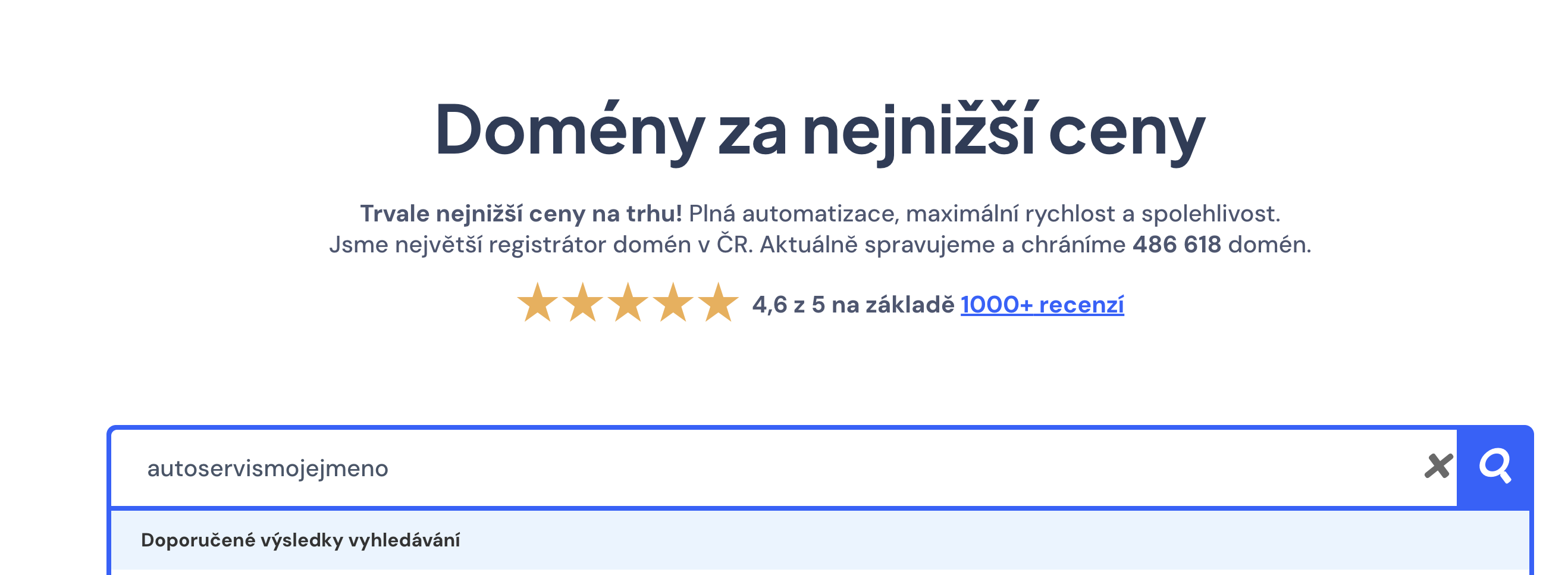
Enter your business or project name in the search field. -
Step 2
Choose an available extension and select “Register”.
For a website aimed at customers in the Czech Republic, .cz is often a natural choice. Otherwise, choose an extension that fits your audience and plans.
Prices and promotions differ by extension. Check the registration price, VAT and renewal price for the next period.
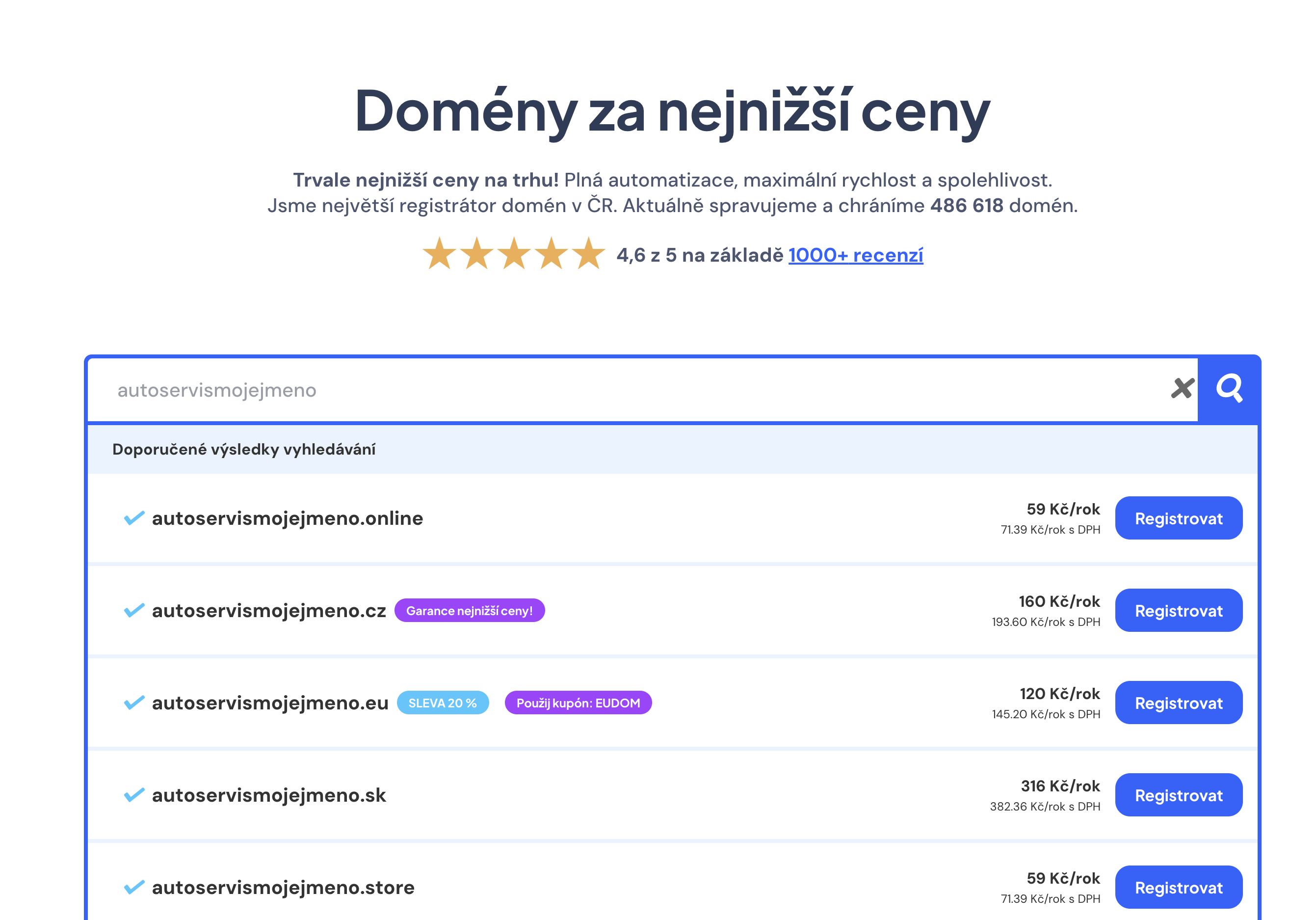
Choose only an extension you actually plan to use. -
Step 3
Select “no hosting” and review the add-ons.
If your website will be hosted by another provider, select no hosting. The example leaves WEDOS EWM Domain Monitoring unchecked; leave it unchecked if you do not want that paid service.
Review the other optional services too. Leave any you do not need unchecked and check the total price before continuing.
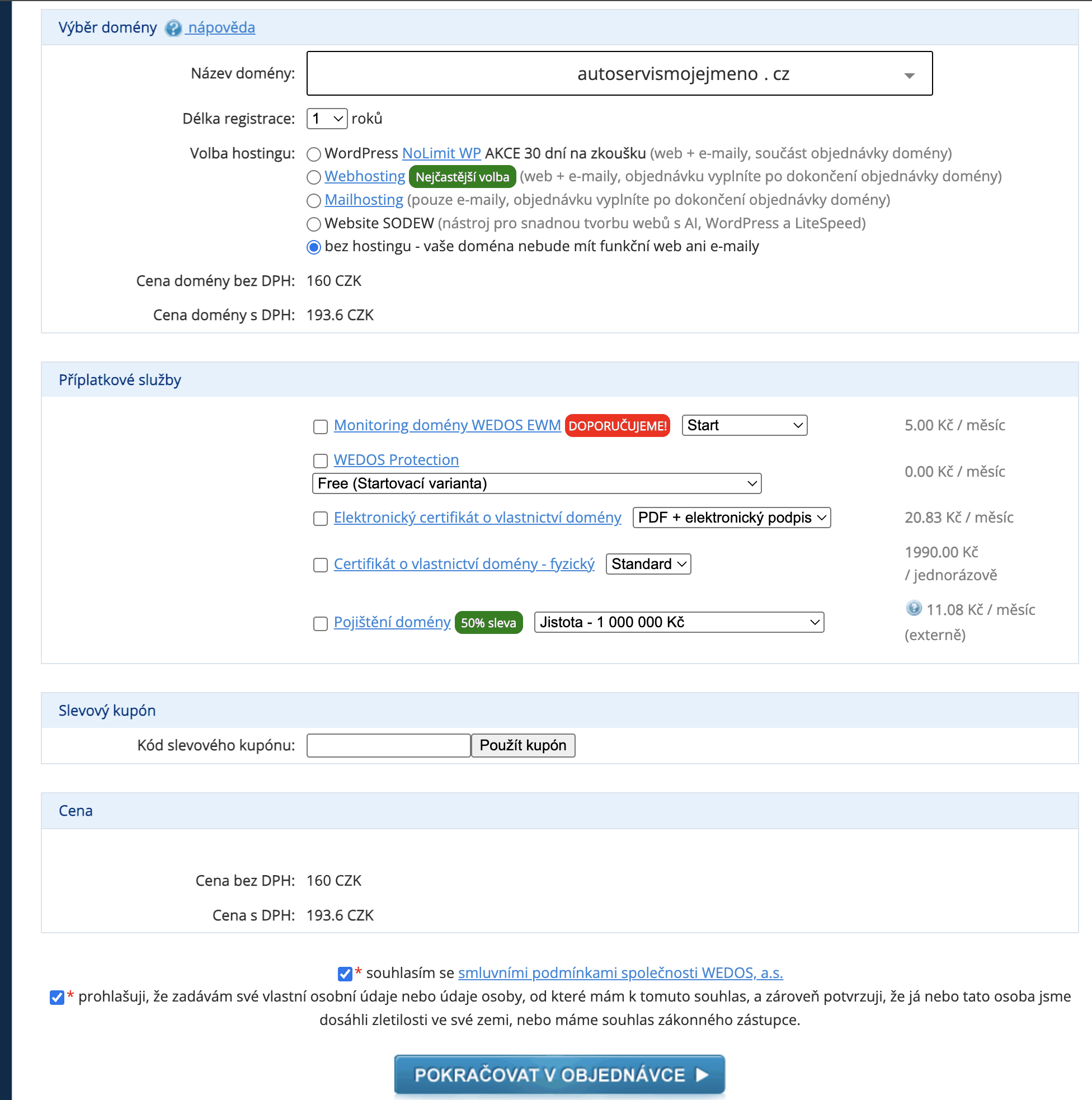
Example with no hosting and no optional add-ons selected. -
Step 4
Enter the domain holder’s details and review the order.
Enter accurate details for the person or business that will own the domain, along with a working email address and phone number. Sign in if you already have an account with the registrar.
Do not change technical settings unless you have a specific reason. Check the domain name, registration period, total including VAT and any selected add-ons. Read the current terms and accept them only if you agree.
After payment, the domain is registered to you, but the website still needs to be connected to its hosting or publishing platform. I can help connect it to a new website if needed.
Official information
Check the current terms before ordering.
Prices and optional services can change. The order summary shown by the registrar is the final source for the current total.
You have a domain. What next?
Browse the sample websites or tell me what kind of website you need.